

Terminal UI
The Terminal UI gives you a full-screen interactive dashboard inside any
terminal — including SSH sessions, tmux panes, and CI runners with a TTY. It is
built with Textual and requires the [tui]
extra.
Install and launch
pip install "dbsprout[tui]"
dbsprout tui
Run dbsprout init at least once before launching the TUI so there is a schema
snapshot to display.
What it shows
The TUI is organised into three panels. You can move between them with the keyboard or mouse.
Schema browser
The left panel renders your database as a collapsible tree. Each table shows its columns, data types, primary key markers, and foreign key references. Expand a table to see column-level detail; collapse it to compare across many tables at a glance.
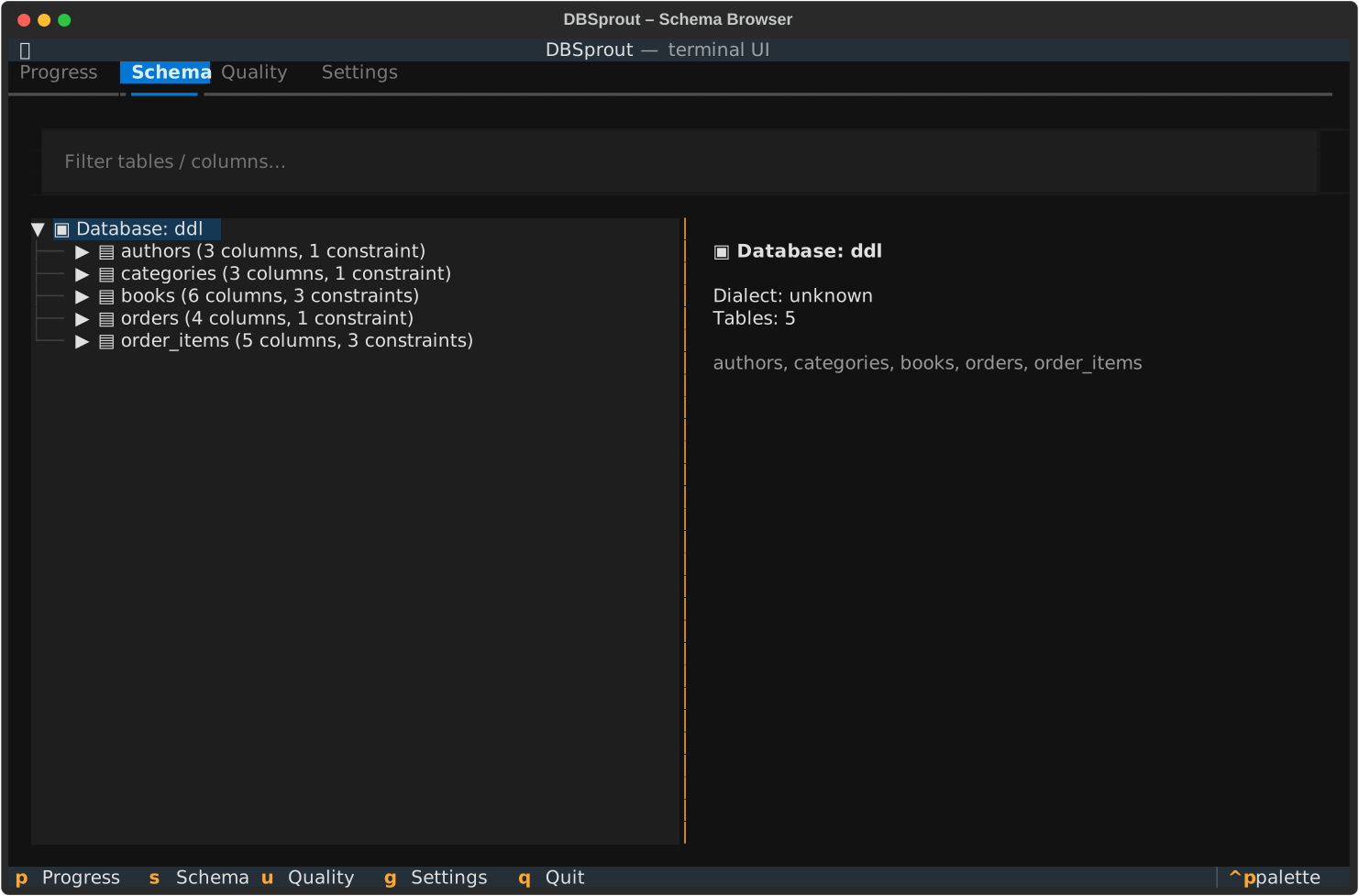
Schema browser: tables expand to show columns, types, and FK relationships.
Live generation progress
The centre panel tracks the active generation run. Each table gets its own progress bar that fills as rows are generated. The orchestrator processes tables in topological FK order — parent tables complete first and their progress bars fill before child tables start. The panel also shows the current generation engine, elapsed time, and estimated rows/sec.
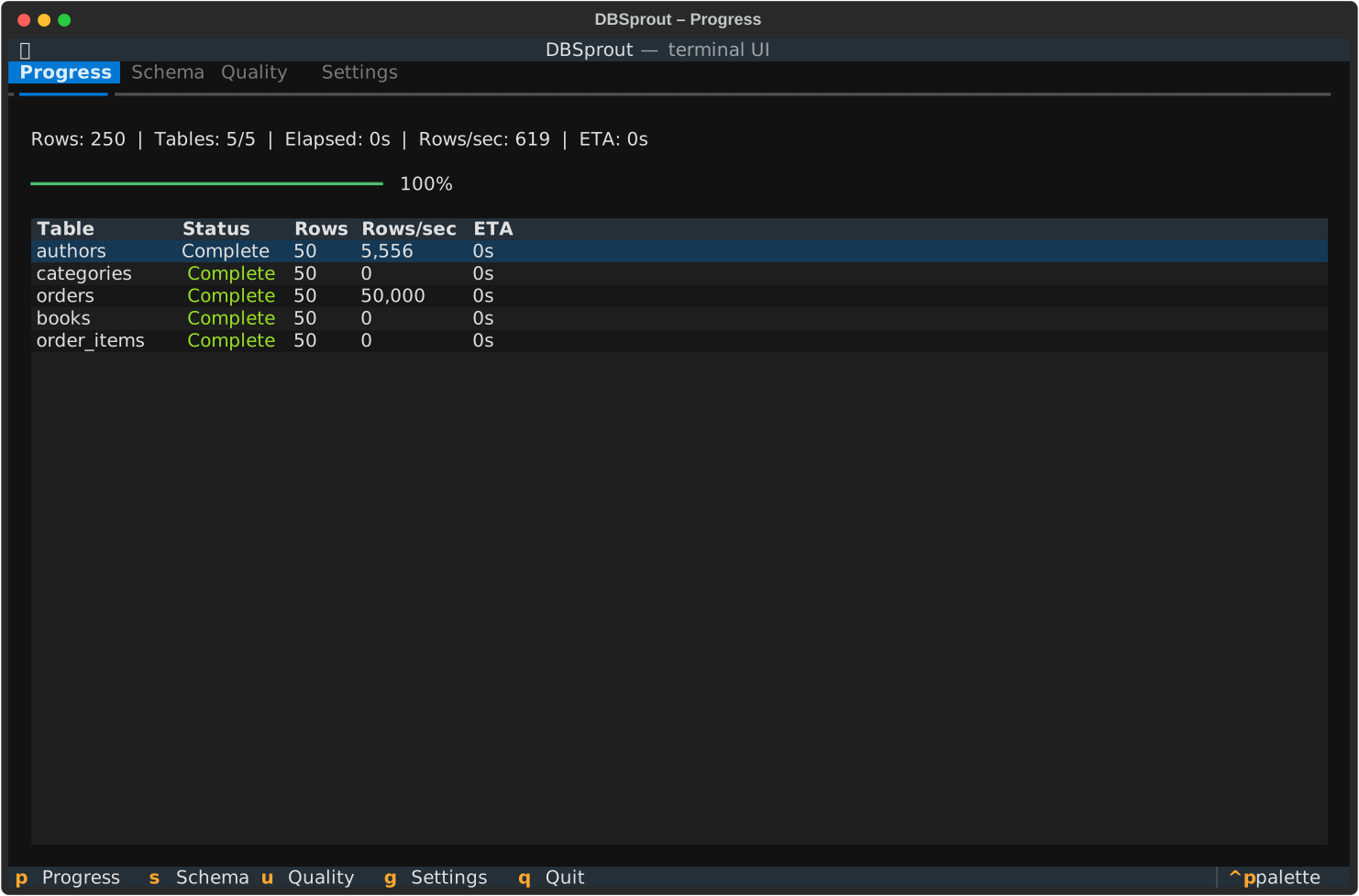
Generation progress: per-table bars in FK-safe order, with live rows/sec throughput.
Quality panel
After generation completes, the right panel shows the integrity and fidelity
metrics from dbsprout validate. Green indicators confirm 100% FK referential
correctness, zero UNIQUE violations, zero NOT NULL violations, and zero CHECK
failures. If a metric falls below the expected threshold the indicator turns
amber or red with a short explanation.
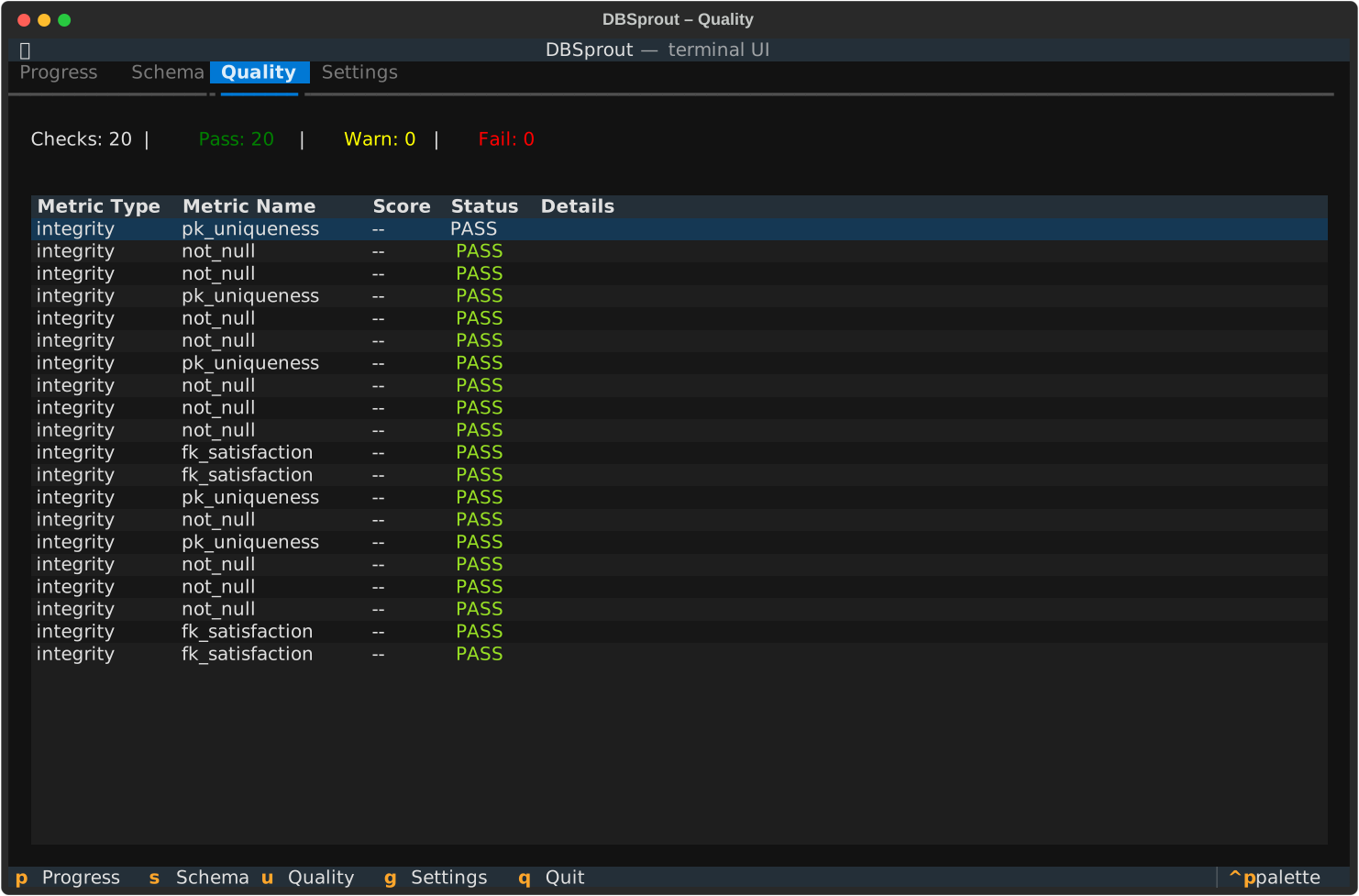
Quality panel: integrity checks, constraint pass/fail counts, and fidelity scores.
Keyboard shortcuts
| Key | Action |
|---|---|
Tab / Shift+Tab | Move focus between panels |
Arrow keys | Navigate within a panel |
Enter / Space | Expand / collapse tree node |
r | Run generate (same as current dbsprout.toml settings) |
v | Run validate on the last generation |
q / Ctrl+C | Quit |
SSH and remote use
Because the TUI is a pure terminal application it works over any SSH connection.
Connect to a remote host where DBSprout is installed, run dbsprout tui, and
get the full dashboard in your local terminal — no port forwarding, no browser,
no X11 required.
The Web Studio is a browser-based alternative that offers ERD diagrams, a guided wizard, and a richer quality report. The TUI is the right choice when you are on a headless server, inside a container, or simply prefer to stay in the terminal.
See Core Concepts for how the generation pipeline works underneath both interfaces.